FDA requests
Answer FDA requests from your records
Build a records package for a Form FDA 4003, show records read-only during an inspection, draft a Form FDA 483 response and count the Field Alert Report clock.
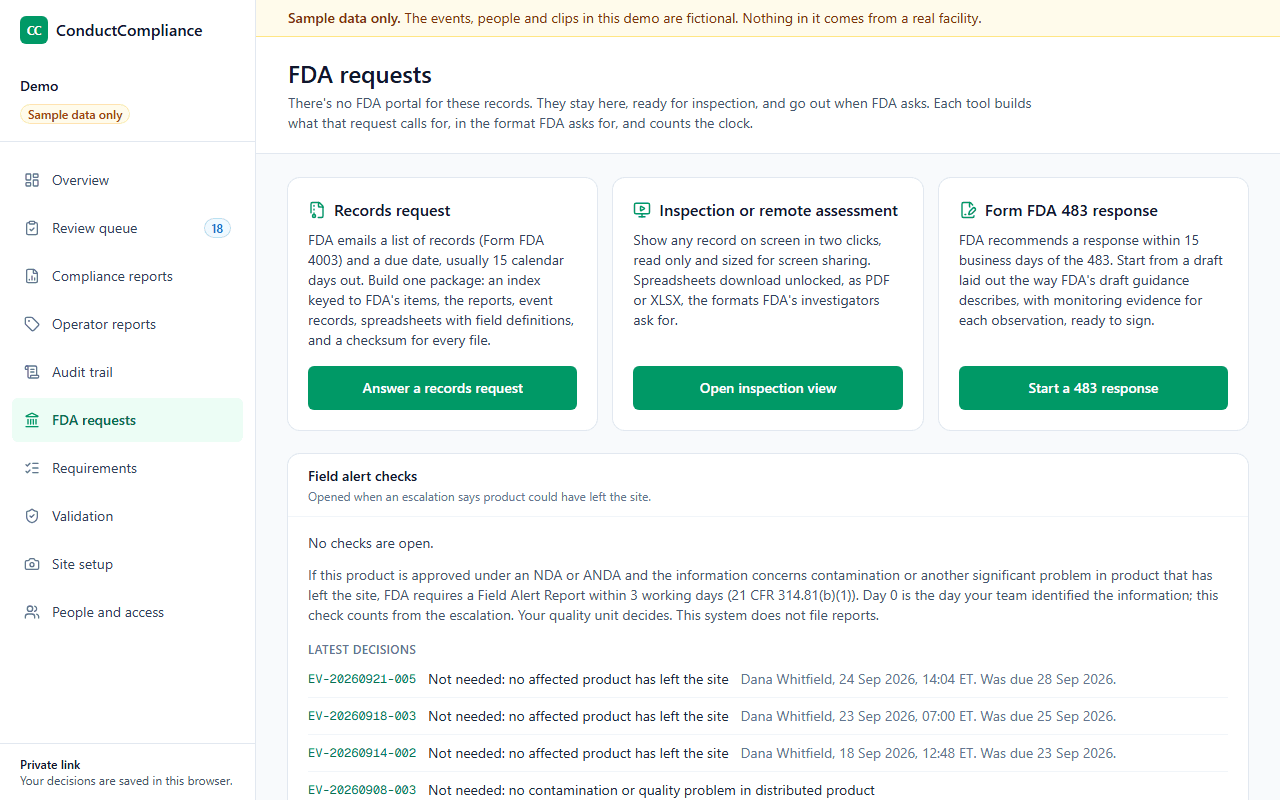
Four tools
One for each way FDA asks
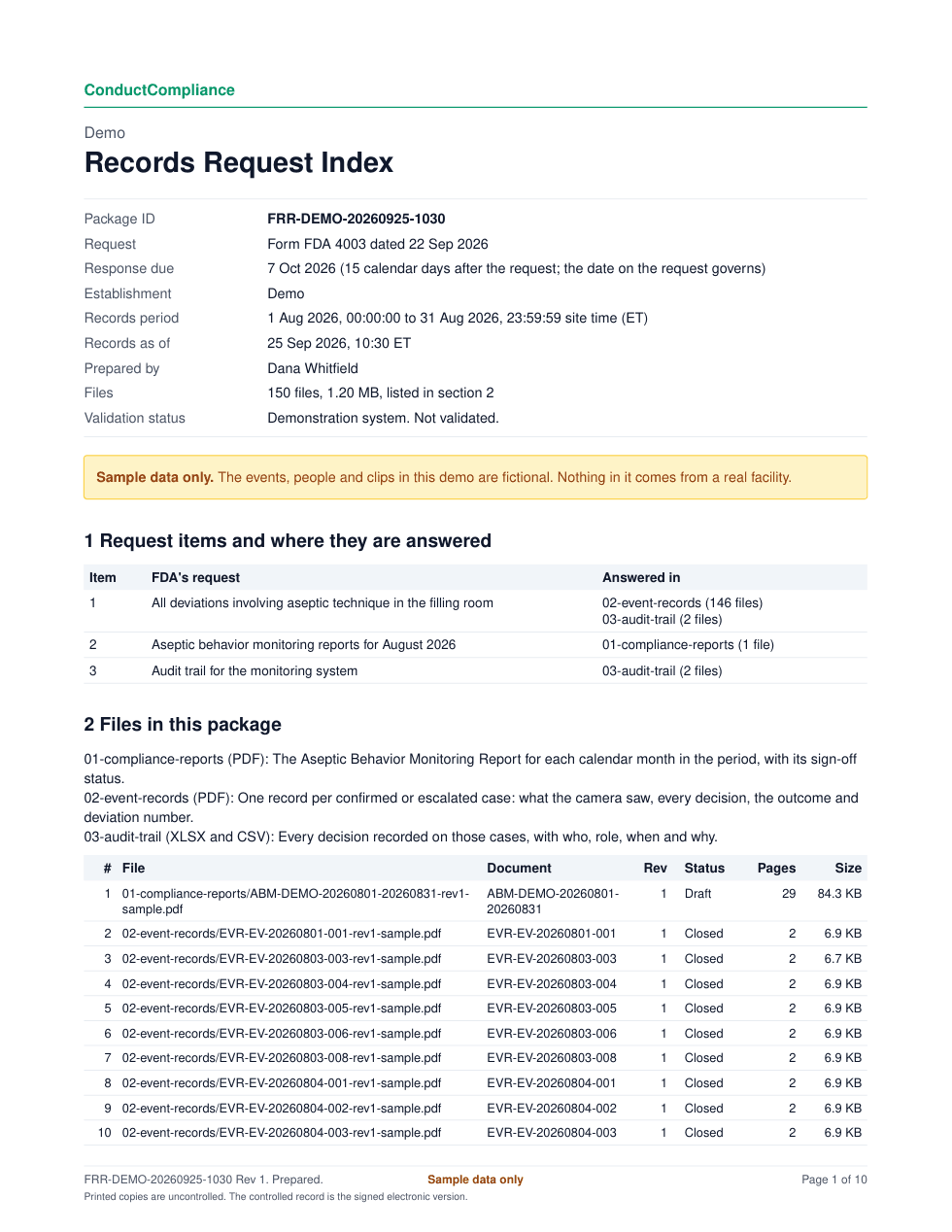
Records request package
An index keyed to FDA's items, the reports, event records and spreadsheets for the period, and a SHA-256 checksum for every file. Packages over the email limit split into parts that rebuild byte for byte.
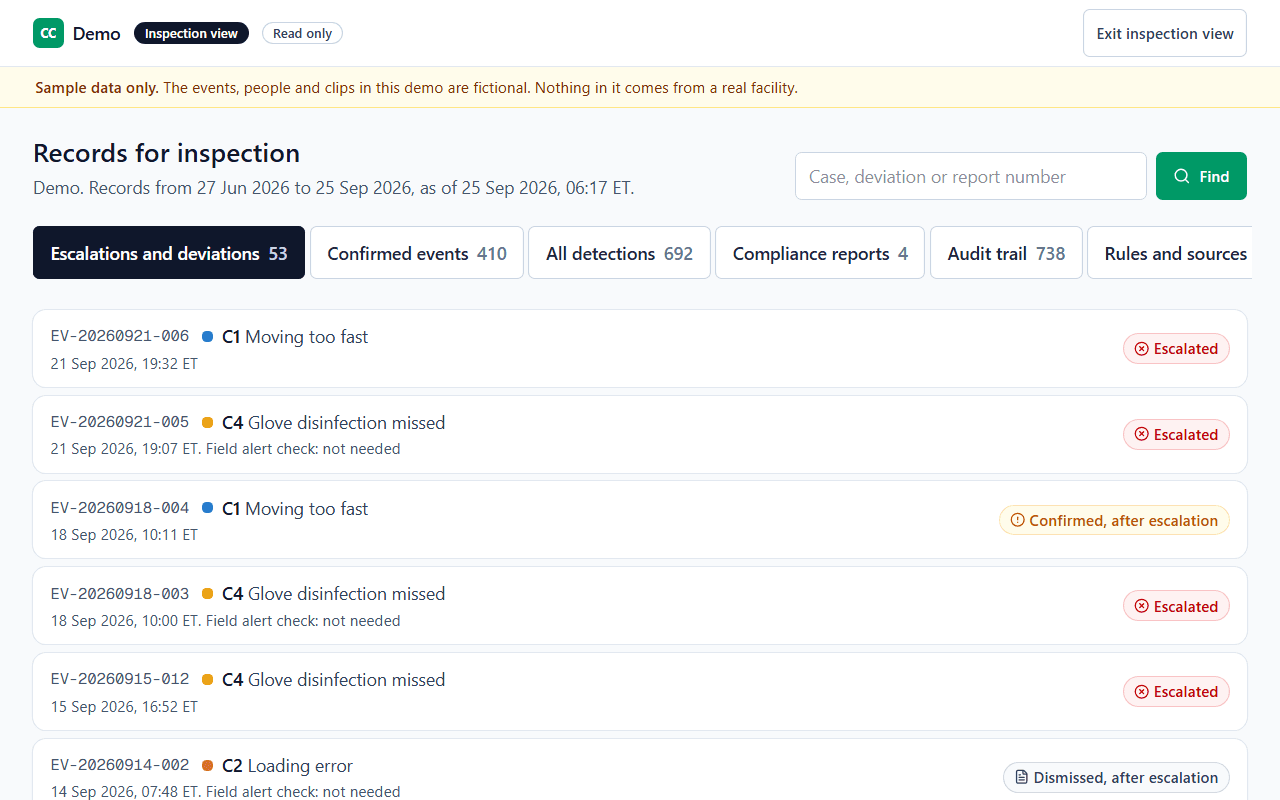
Inspection view
Every record on screen, read only and sized for screen sharing, with no control that changes a record. Any record is two clicks away.
Form FDA 483 response kit
An editable Word draft laid out in the order of FDA's March 2026 draft guidance, dated 15 business days after the 483, with signed monitoring evidence for each observation linked to a monitored condition.
Field alert checks
When an escalation says product could have left the site, a check opens, due at close of business on working day 3. Only a quality lead records the decision.
The clocks
How FDA asks, and how long you have
| Request | How FDA asks | Clock | Source |
|---|---|---|---|
| Records request | Form FDA 4003, emailed to the site's top manager | Usually 15 calendar days, 30 with translation | |
| Inspection or remote assessment | On site, or by video call and screen share | During the inspection | |
| Form FDA 483 | Handed over at the close of the inspection | 15 business days, recommended | |
| Field Alert Report | You file it when the rule applies | 3 working days |
Where records live
Records ready for inspection, wherever they are kept
“All records required under this part, or copies of such records, shall be readily available for authorized inspection during the retention period at the establishment where the activities described in such records occurred.”
“Records that can be immediately retrieved from another location by computer or other electronic means shall be considered as meeting the requirements of this paragraph.”
Who does what
The tools draft. Your quality unit decides.
The software
- Builds packages from the records, with an index and checksums
- Shows records read only for an inspection
- Drafts the 483 response and its evidence attachments
- Counts working days and flags field alert checks
Your team
- Decides what goes to FDA
- Signs the certification, the letter and each attachment
- Sends the response and files any Field Alert Report
- Records each field alert decision
Questions
Common questions
- Does the software send anything to FDA?
- No. It drafts, counts and assembles. Your quality unit decides what goes to FDA, signs it and sends it.
- What formats do FDA investigators ask for?
- Records as PDF, and spreadsheets as unlocked XLSX they can search, sort and filter, with field definitions and code lists. A locked or trimmed spreadsheet can count as limiting an inspection. The package includes both.
- How are working days counted?
- Monday to Friday, without federal holidays from the OPM list. A holiday that falls on a Saturday is observed the Friday before, and one on a Sunday the Monday after.
- What if a package is too big to email?
- For a 483 response, FDA's draft guidance asks that files over 100 MB go as smaller files in separate emails, and the kit's instructions say so. A records package can be split into email parts under 25 MB or 10 MB, and each part carries the manifest and checksums.
- Our records live online, away from the plant. Is that a problem?
- FDA counts records that can be retrieved right away from another location by computer as available at the establishment, under 21 CFR 211.180(c). The inspection view is built to show any record in two clicks.
See it with sample data
We show the review queue, a signed monitoring report, the audit trail review and the validation package, then answer your team's questions.